Industrial product identification is critical for traceability, compliance, and brand protection. From expiry dates to…
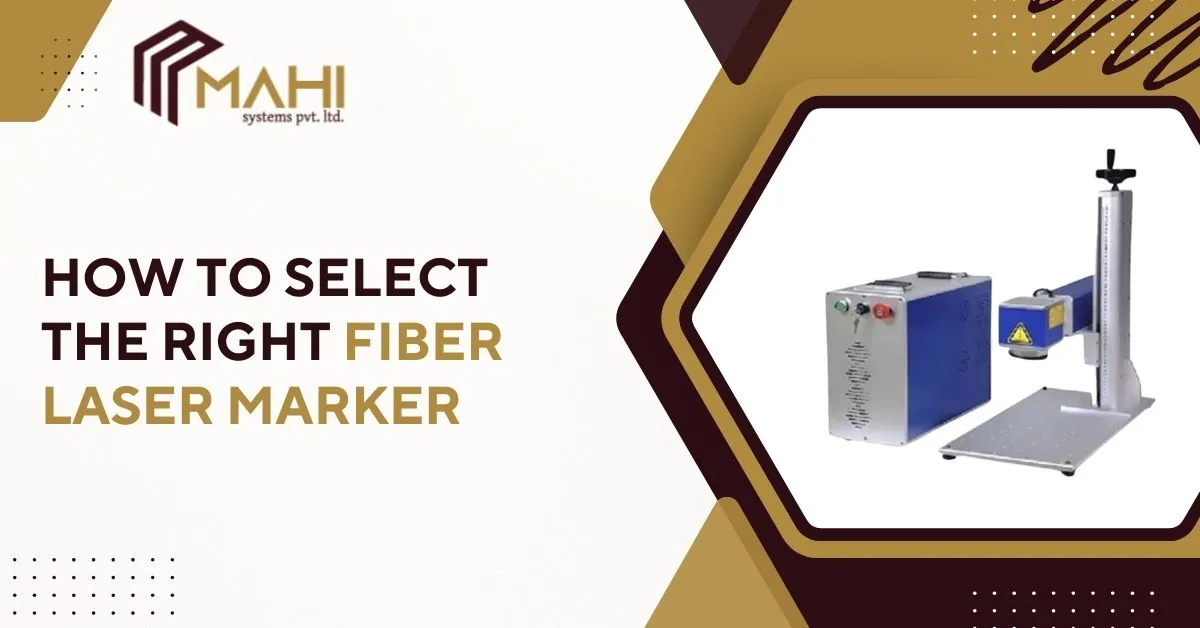
Choosing the right fiber laser marking is a strategic decision that affects product quality, production speed, and long-term costs. This guide walks you through every step—from defining marking needs to comparing power levels, lenses, software, and service—so you pick a fiber laser marker that fits your application and budget.
What Is a Fiber Laser Marker?
A Fiber Laser Marking Machine uses a high-intensity fiber laser to etch, anneal, or engrave surfaces with pinpoint accuracy. The technology delivers permanent marks—logos, serial numbers, QR codes, micro-text—on metals, plastics, ceramics, and coated surfaces without inks or consumables. Because a fiber laser marker produces clean, repeatable results, it’s widely used in electronics, automotive, medical, jewelry, and packaging industries that demand traceability and brand integrity.
Why Choosing the Right Marker Matters
Selecting the correct Fiber Laser Marking Machine directly impacts part traceability, branding consistency, and production uptime. A mismatched machine can cause slow cycles, poor mark quality, or excessive wear. Right-sizing your marker ensures efficient production, accurate marks under varied conditions, and a faster return on investment.
Determine Your Marking Requirements
Begin by defining what you need the marker to do. Consider:
- Material: metals (stainless steel, aluminum), plastics, anodized surfaces, ceramics, or coated parts.
- Mark type: surface annealing, engraving, deep etch, or color marking.
- Mark area: small serials on tiny components vs. large logos on housings.
- Throughput: pieces per minute/hour.
At the heart of every decision is the fiber laser markring match to your materials and volume—this ensures consistent quality and avoids overspending on unnecessary features.
Choosing the Right Laser Power (20W–100W)
Laser power determines speed and capability of Fiber laser marking machine:
- 20W–30W: ideal for fine, high-resolution marking (barcodes, small logos) on metals and plastics.
- 50W: balances speed and engraving depth—good for moderate production and slightly deeper marks.
- 100W+: suited for heavy-duty marking, deep engraving, and very high production speeds.
Choose power based on the material and the required marking depth. Higher wattage increases speed and depth but also cost and cooling needs.
Selecting the Right Lens & Marking Area
Lens (F-theta) size controls the field of view and resolution of Fiber laser marking machine:
- 110×110 mm: high detail for tiny parts.
- 150×150 mm: common general-purpose size.
- 300×300 mm and larger: for big components or batch marking.
A smaller lens gives finer detail at the cost of area; a larger lens covers more area but with slightly reduced resolution. Match lens size to the largest part you’ll mark and the minimum detail you must retain.
Importance of Marking Speed & Production Volume
If you run high-volume production, marking speed is critical. Look for Fiber laser marking machine:
- High-speed galvo scanners and optimized marking algorithms.
- Duty cycle ratings and continuous operation specs.
- Conveyor or automation compatibility for inline marking.
Faster scanners and suitable wattage reduce cycle time and increase throughput—key for scaling manufacturing lines.
Evaluate Software Features & Ease of Use
Software defines usability and capability. Essential features of Fiber laser marking machine:
- Support for vector formats (AI, DXF), images, barcodes, and QR codes.
- Intuitive layout tools, serialization, and batch processing.
- Compatibility with EZCAD, CorelDraw exports, or proprietary controllers.
Good marking software simplifies template creation, reduces operator errors, and speeds setup for varied jobs.
Ready to upgrade your marking accuracy and production quality?
Reach out and contact us today for expert guidance.
Cooling System — Air vs Water
Cooling affects uptime and environment of Fiber laser marking machine:
- Air-cooled: simpler, lower maintenance, good for low to medium wattages.
- Water-cooled: better thermal stability for high-power systems, ideal for continuous heavy use.
Consider ambient factory temperature and duty cycles—water cooling increases complexity but stabilizes high-power output for demanding applications.
Check Build Quality & Durability
A rugged chassis, quality galvo mirrors, reliable power supplies, and sealed cabinets improve longevity. Inspect of Fiber laser marking machine:
- Build materials and vibration damping.
- Galvo / scan head brand and specs.
- Cable routing, connectors, and dust protection.
Robust construction reduces maintenance and ensures consistent mark accuracy over years of production.
After-Sales Support, Warranty & Maintenance
After-sales service is as important as the machine. Evaluate of Fiber laser marking machine:
- Local service centers and spare parts availability.
- Warranty length and what it covers (laser source, galvo, power supply).
- Training, remote diagnostics, and upgrade paths.
Reliable support minimizes downtime and protects your investment—pick a supplier known for fast service and clear SLAs.
Price vs Value — Choosing a Budget-Friendly Model
Price ranges vary widely. Rather than lowest cost, assess value of Fiber laser marking machine:
- Does the price include software, lenses, and accessories?
- Is there a local service network or additional installation cost?
- What is the expected ROI from improved throughput or reduced consumables?
Opt for the model that offers required features, dependable support, and long-term reliability instead of one that only meets the short-term budget.
Popular Power Options
| Feature / Model | 20W Fiber Laser | 30W Fiber Laser | 50W Fiber Laser | 100W Fiber Laser |
| Best for | Fine detail | General marking | Deeper marks | Heavy industrial |
| Typical speed | Medium | Fast | Very fast | Ultra fast |
| Marking depth | Shallow | Light–medium | Medium–deep | Deep |
| Cooling | Air | Air | Water/Air | Water |
| Cost | Low–Medium | Medium | High | Very High |
Final Checklist Before Purchase
- Confirm materials and typical part sizes.
- Define required mark types and depths.
- Choose appropriate power and lens size.
- Verify software features for serialization and automation.
- Check cooling needs and factory environment.
- Confirm warranty, local support, and spare parts access.
- Compare total cost of ownership, not just upfront price.
Frequently Asked Questions
For light to medium stainless steel engraving, a 20W–30W unit is usually sufficient; choose 50W+ for deeper engraving and faster cycles.
A 110×110 mm lens offers the best resolution for very small logos and micro-text on electronic components.
Yes—water cooling stabilizes temperature for 50W+ systems and is recommended for continuous, heavy-duty operation.
Look for EZCAD compatibility or an intuitive proprietary interface that supports vector files, serialization, barcode/QR generation, and batch processing.
Extremely important—fast local service, spare parts availability, and training reduce downtime and maximize machine life.
Conclusion
Selecting the right Fiber laser marking machine requires balancing technical needs, production goals, and long-term support. Use this guide as your decision checklist—identify materials, define marking types, pick the appropriate power and lens, and ensure reliable service. The correct choice will deliver consistent marks, higher throughput, and better ROI for years to come.
Related Posts