Industrial product identification is critical for traceability, compliance, and brand protection. From expiry dates to…
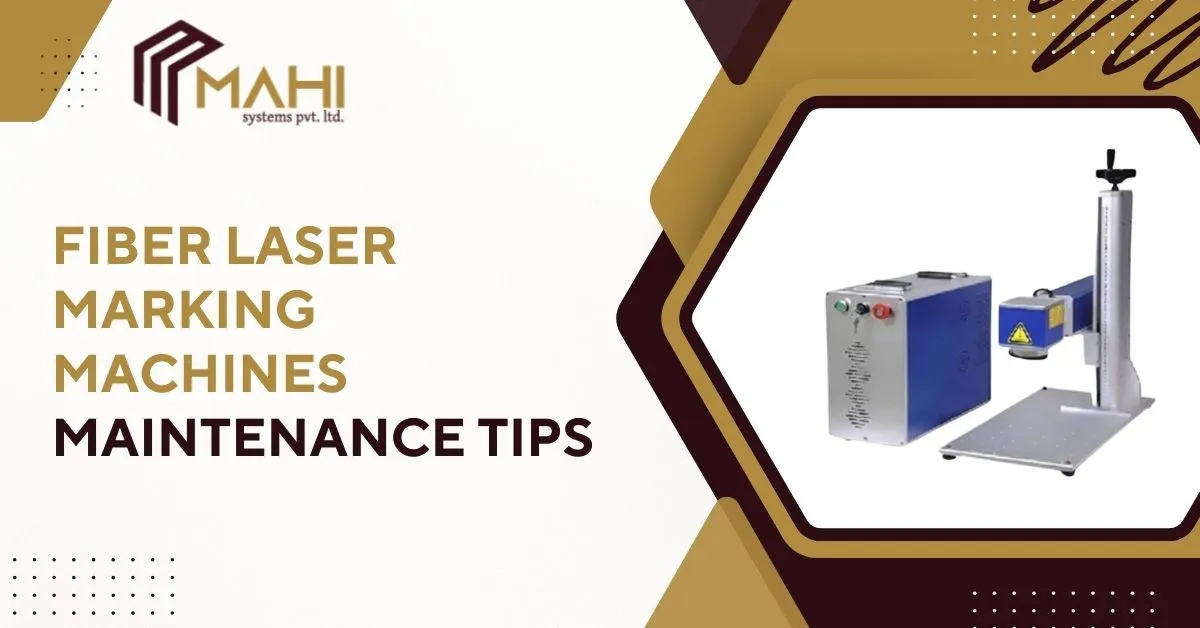
A well-maintained Fiber Laser Marking Machine can deliver consistent, high-precision marking for years, reducing downtime and avoiding costly repairs. Whether your factory runs continuous production or intermittent batches, following the right maintenance routine is essential to keep your laser equipment efficient, safe, and reliable.
Why Maintenance Matters for Fiber Laser Marking Machines
Proper maintenance ensures long-term performance and minimizes unexpected failures. In every production environment, a Fiber Laser Marking Machine benefits heavily from preventive care because it protects critical components such as the laser source, scan head, lenses, and cooling system. When neglected, even minor dust buildup can cause power fluctuations, fading marks, and alignment issues—resulting in wasted time and inconsistent quality. Regular maintenance keeps uptime high and operational costs low.
Daily Maintenance Checklist
Daily care improves stability and prevents costly breakdowns. A Fiber Laser Marking Machine used in industrial settings collects dust, fumes, and debris, all of which can affect marking quality. A simple daily routine can drastically enhance machine life:
- Clean protective glass and lenses using approved cleaning tools.
- Remove dust from the marking area with a low-pressure blower.
- Inspect airflow and ensure cooling fans are functioning.
- Perform a quick test marking to verify clarity and power consistency.
- Check power supply stability and emergency stop functionality.
Maintenance Schedule Table
| Task Type | Daily Tasks | Weekly Tasks | Monthly Tasks |
| Cleaning | Clean lens shield, remove dust | Clean filters & vents | Deep clean scanning head |
| System Check | Check power & test mark | Inspect cables, connectors | Laser output re-calibration |
| Environment | Maintain dust-free zone | Ensure proper ventilation | Cooling system inspection |
| Performance | Quick visual check | Focus & alignment check | Software calibration |
Weekly Maintenance Tasks for Stable Laser Performance
Weekly checks focus on deeper mechanical and electrical components. In many facilities, a Fiber Laser Marking Machine operates continuously, leading to gradual wear. Weekly maintenance ensures stable beam quality and prevents performance drops:
- Inspect wiring and connectors for wear, corrosion, or loosening.
- Clean ventilation meshes to maintain smooth airflow.
- Check the scanning head alignment for consistent marking accuracy.
- Test safety interlocks and emergency systems for reliable operation.
- Verify fixture stability to prevent vibrations during marking.
Monthly & Quarterly Maintenance Tasks
Monthly and quarterly maintenance prevents long-term degradation and protects critical components. A Fiber Laser Marking Machine requires a deeper inspection every few weeks, especially when used in high-duty industrial environments:
- Re-calibrate power output to maintain marking consistency.
- Clean internal areas and scan head optics via trained professionals.
- Re-align focusing lenses for accurate beam delivery.
- Update firmware and mark creation software for optimized performance.
- Replace worn-out parts such as protective glass and air filters.
- Conduct environmental checks to ensure stable temperature and humidity.
How to Clean Fiber Laser Optics Safely
Clean optics are crucial for clear, sharp, and deep markings. Over time, a Fiber Laser Marking Machine can accumulate fumes and dust on lenses, reducing beam power. Proper cleaning is essential:
- Use lint-free wipes with IPA (isopropyl alcohol).
- Blow off particles using dry, oil-free compressed air.
- Avoid abrasive cleaners or cloths that can scratch the optic surface.
- Replace damaged protective glass immediately; do not attempt repair.
- Keep spare lenses stored in sealed, dust-free containers.
Cooling System Maintenance Tips
The cooling system is vital for protecting the laser source. A Fiber Laser Marking Machine generates heat during operation, and improper cooling can shorten the laser’s life dramatically. Keep your cooling system efficient:
- For air-cooled machines: clean fans, vents, and air filters regularly.
- For water-cooled systems: check coolant level, pump performance, and hose condition.
- Ensure the machine is not placed near heat sources or blocked vents.
- Monitor temperature alarms and resolve fluctuations promptly.
- Maintain proper airflow around the machine, especially in tight production spaces.
Software & Firmware Care
Software plays a key role in marking accuracy. Inside the workflow, a Fiber Laser Marking Machine relies on stable firmware and marking software to manage power output, path movement, barcode generation, and layout precision:
- Update software regularly to access new features and accuracy enhancements.
- Back up templates, settings, and marking layouts to prevent data loss.
- Use calibration tools to fine-tune positioning and improve readability.
- Review system logs to identify recurring performance issues.
Common Fiber Laser Marking Problems & How to Fix Them
Understanding the most common issues helps avoid long downtime. A Fiber Laser Marking Machine may experience performance drops due to power issues, dirt buildup, or mechanical problems:
- Faded Marking: Clean optics, adjust power settings, and ensure proper focus.
- Misaligned Marking: Check scan head alignment and tightening of mounts and fixtures.
- Wavy or Distorted Text: Inspect for vibration, unstable fixtures, or mechanical looseness.
- Low Power Output: Evaluate power supply, cooling performance, and optics condition.
- Intermittent Errors: Update firmware, check wiring, and inspect logs for fault codes.
Ready to improve your marking efficiency and reduce downtime?
Contact us today and let our experts guide you to the right solution.
Best Practices for Maximizing Fiber Laser Machine Life
Following best practices ensures long-term reliability. A Fiber Laser Marking Machine performs better when operators follow safe, consistent routines:
- Place the machine in a clean, low-dust environment.
- Use only manufacturer-approved spare parts and optics.
- Follow recommended duty cycle limits to avoid overheating.
- Keep detailed records of maintenance tasks and service calls.
- Train machine operators on safe cleaning and daily inspections.
When to Call a Professional Technician
Certain problems require qualified technicians. If your Fiber Laser Marking Machine shows persistent power fluctuations, alignment failure, electrical faults, or mechanical vibration, contact professional service immediately. Technicians can:
- Re-align scan mirrors with precision tools.
- Replace internal optics safely.
- Conduct tests for beam quality and source health.
- Install genuine components for long-term reliability.
- Perform annual certification and system audits.
Frequently Asked Questions
Daily cleaning, weekly inspections, monthly calibrations, and yearly full-service checks are recommended.
Dirty optics, incorrect focus, or low laser power are the most common reasons.
Use lint-free wipes, IPA, and dry compressed air only.
Maintain proper airflow, clean filters, and monitor cooling system performance.
With proper maintenance, fiber laser sources often exceed 100,000 hours.
Conclusion
A consistent maintenance routine keeps your Fiber Laser Marking Machine operating at peak performance. By following daily, weekly, and monthly maintenance tasks, cleaning optics correctly, maintaining cooling systems, and updating software regularly, you can maximize uptime and extend machine life. Preventive care always costs less than emergency repairs and ensures clean, accurate, high-quality markings every time.
Related Posts