Modern packaging lines rely on automation to move cartons consistently from one stage to another…
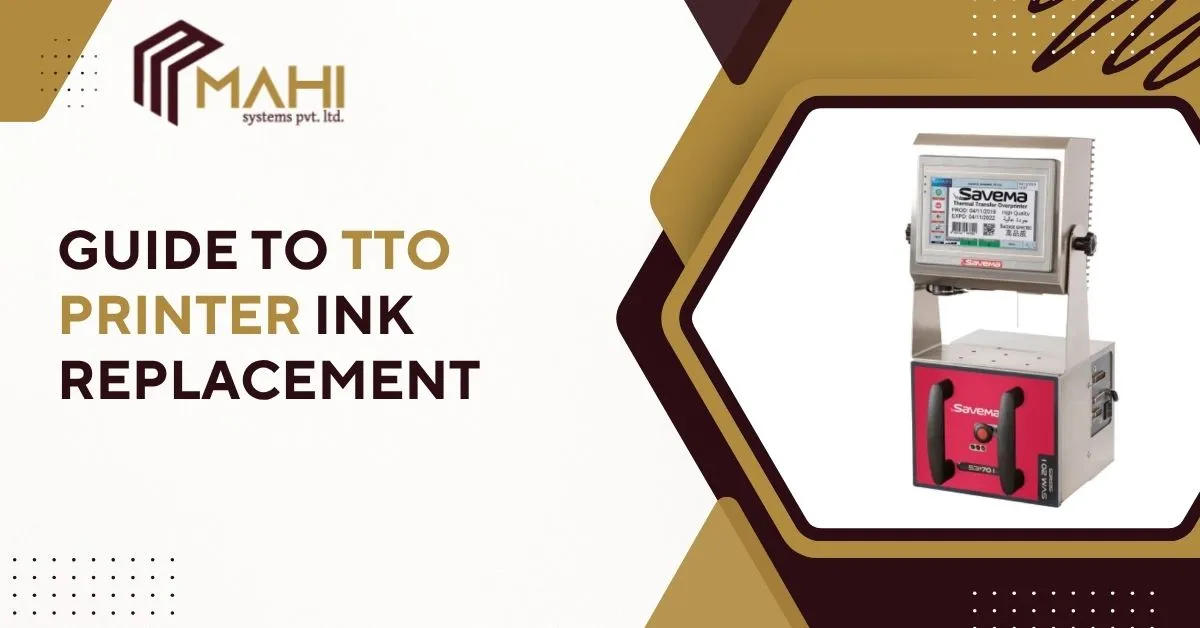
In today’s fast-paced industrial packaging world, the TTO printer plays a vital role in ensuring every package carries clear, accurate, and durable print information. Over time, even the best printers need care — and one of the most essential tasks is TTO printer ink replacement. This guide explains everything you need to know about replacing TTO ink ribbons, improving print quality, and keeping your production line running smoothly.
What is TTO Printer Ink Replacement?
The Thermal Transfer Overprinting (TTO) process uses heat to transfer ink from a ribbon onto flexible packaging materials. Unlike traditional inkjet systems, TTO printer don’t use liquid ink — they rely on ribbons coated with wax, resin, or wax-resin compounds.
TTO printer ink replacement simply means changing these ribbons when they’re used up, ensuring every barcode, date code, or batch number remains crisp and readable. This process is crucial for industries like food, pharmaceuticals, and cosmetics where precision printing is non-negotiable.
Understanding TTO Printer Ink (Ribbon)
To maintain consistent results, it’s important to understand the types of TTO printer ribbons available and their uses.
A TTO printer uses specially designed ribbons instead of liquid ink. Each ribbon type serves a unique purpose:
- Wax ribbons: Best for printing on paper labels; economical and easy to use.
- Wax-resin ribbons: Ideal for flexible packaging films; more durable and resistant to smudging.
- Resin ribbons: Provide the highest durability, suitable for extreme conditions or industrial use.
Selecting the right TTO ribbon improves print quality and extends printhead life, while reducing maintenance issues.
Signs You Need to Replace TTO Printer Ink Ribbon
Your TTO printer communicates through print quality — if your text fades or barcodes become unreadable, it’s likely time for ribbon replacement.
| Sign | Cause | Solution |
| Faded or patchy prints | Ribbon nearly finished | Replace the ribbon spool |
| Ribbon tearing | Incorrect tension setup | Adjust tension settings |
| Smudged prints | Wrong ribbon type | Use compatible ribbon |
| Error message | Ribbon sensor triggered | Install new ribbon roll |
When you see these signs, immediate TTO ink ribbon replacement helps maintain production speed and quality.
How to Replace TTO Printer Ink Ribbon
Replacing a TTO printer ribbon is a quick process if done correctly. Follow these steps:
1. Turn off the TTO printer for safety.
2. Open the printhead assembly.
3. Remove the used ribbon and empty core.
4. Load the new ribbon roll following direction arrows.
5. Thread the ribbon correctly through rollers.
6. Tighten tension to ensure smooth feeding.
7. Run a test print to confirm alignment and quality.
For smooth operation, always use TTO printer ribbons recommended by your manufacturer to avoid printhead damage.
Tips for Maximizing Ribbon Life and Print Quality
Proper care extends your TTO printer ribbon’s lifespan and ensures consistent results.
- Clean the printhead daily using approved solvents.
- Store ribbons in cool, dry areas to prevent moisture damage.
- Enable ribbon-saving mode if your printer supports it.
- Match the printhead temperature to the ribbon material.
By following these maintenance tips for TTO Printers practices, you can reduce downtime, lower operating costs, and ensure long-lasting performance.
Need expert help choosing the right TTO printer ribbon?
Contact us today for personalized guidance and technical support.
Common TTO Ink Replacement Problems & Fixes
Even well-maintained printers can face challenges. Here’s how to solve the most common TTO printer issues:
- Wrinkled ribbons: Check tension and roller alignment.
- Faded prints: Adjust printhead temperature or use a compatible ribbon.
- Adhesion issues: Ensure substrate surface is clean and suitable.
- Misalignment: Recalibrate printhead and ribbon path.
Knowing these quick fixes can save you time and keep your TTO printer running at peak efficiency.
Recommended TTO Ribbons and Compatible Printers
Choosing the right TTO ribbon for your printer model is critical to print quality and ribbon life.
| Printer Model | Ribbon Width | Ribbon Type | Best For |
| C Series | 32 mm | Wax | Snack and small packaging lines |
| I Series | 53 mm | Wax-Resin | Pharmaceuticals and cosmetics |
| TR Series | 107 mm | Resin | Industrial and flexible packaging |
Maintenance Schedule for TTO Printers
Regular maintenance keeps your TTO printer operating efficiently and prevents costly repairs.
- Daily: Clean the printhead and inspect ribbons.
- Weekly: Check sensors and rollers for dust.
- Monthly: Verify calibration and replace worn parts.
Following a consistent TTO maintenance schedule ensures sharp printing, fewer errors, and longer equipment life.
Frequently Asked Questions
Replace your ribbon when prints fade or when the printer signals a low ribbon warning — typically every few thousand prints.
Always use ribbons compatible with your TTO printer model to ensure adhesion and prevent printhead damage.
Check that your printhead temperature and ribbon type match the substrate material.
Wax is ideal for paper; resin offers maximum durability for flexible films.
Yes, most TTO printers allow you to reuse cores for take-up rolls.
Conclusion
Regular TTO printer ink replacement is key to maintaining clear, reliable, and professional packaging prints. By choosing the right ribbon type, following the proper replacement steps, and performing routine maintenance, you’ll keep your printer operating efficiently while minimizing waste and downtime. Keep your thermal transfer overprinting system in top condition — and enjoy consistent, high-quality printing every time.
Related Posts